What Is Base64 Encoding Used For? Simple Guide for Beginners
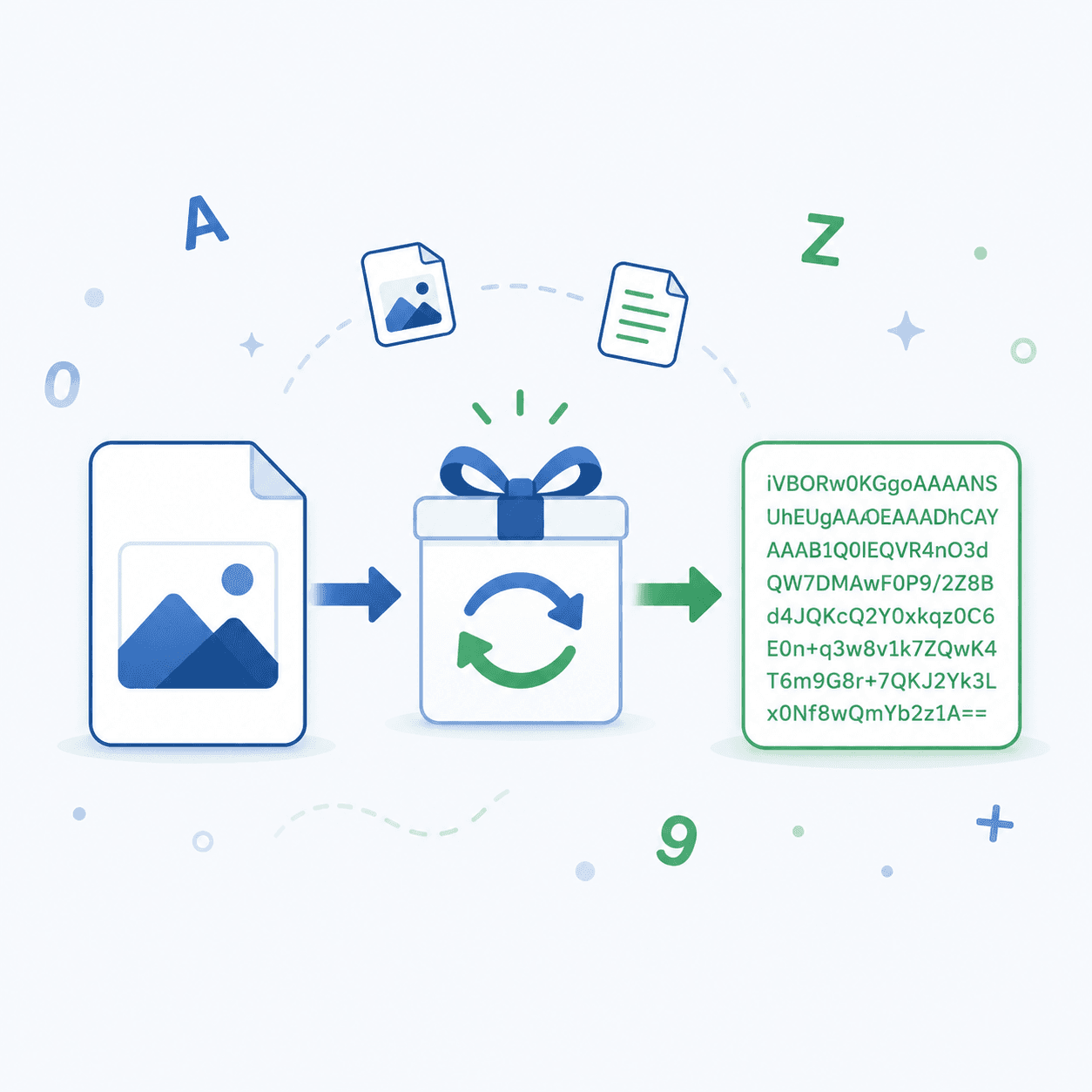
Question: What is base64 encoding used for? Why it is used by developers?
Quick Answer: Base64 encoding is a trick that rewrites files as plain, readable letters and numbers. Folks reach for it to tuck images into emails, slip pictures into web pages, and park file data inside their code. The goal is safe travel, not secrecy, so picture a clean wrapper, never a lock.
Ever Spotted a Wall of Jumbled Letters in Some Code?
You crack open a file or a snippet, and there it sits: a fat block of scrambled letters, digits, and the odd plus sign. Looks like nonsense, right? So what is base64 encoding used for, and why does this jumble keep popping up where you least expect it?
Relax, that block isn't a hidden message. It's an ordinary file wearing a text costume. And once it clicks for you, you'll start noticing it all over the place.
You won't need a single line of coding skill to keep up here, promise. By the last paragraph, you'll know what it does and when reaching for it makes sense. Feel like testing it right now? You can, for free, over at tooldit.com.
What Is Base64 Encoding, in Plain English?
Base64 encoding is simply a method that rewrites raw data as ordinary text. Computers keep things like photos and files as binary, and this method swaps that binary into 64 friendly characters instead.
The lineup is easy to remember: A through Z, a through z, the digits 0 to 9, and two extra symbols. Count them, and you land on sixty-four, which is exactly where the name 'base64' comes from.
Picture wrapping a breakable mug for a move. The mug is your data. Base64 is the padding around it, keeping it whole on the trip. The mug itself never changes; it just rides safely.
So What Is Base64 Encoding Used For Every Day?
Fair question, and the answer is 'way more than you'd expect'. Here's what base64 encoding quietly handles behind the scenes:
• Email attachments. Mail systems move text, so files get encoded to hitch a ride along with your message.
• Images in web pages. Tiny logos and icons get baked straight into HTML or CSS as plain text.
• Storing data in code. It nestles binary content neatly inside JSON, XML, or a database field.
• Safe web transfers. It stops data from getting mangled while it travels through URLs or APIs.
• Login headers. A few basic sign-in methods tuck your details into a base64 string.
How to Encode or Decode Base64 in 5 Easy Steps
Want to give it a spin? No software, no setup, nothing to install. Just walk through these:
Step 1: Open a free tool
1. Head to tooldit.com and pull up the base64 tool right inside your browser.
Step 2: Pick encode or decode
2. Tap 'encode' to build a base64 string, or decode to turn one back into the original.
Step 3: Add your data
3. Drop in your text or upload a file such as an image. Both paths work fine.
Step 4: Run it
4. Hit the button, and your result lands on screen in a second or two.
Step 5: Copy and use
5. Grab the output and paste it into your code, your email, or your project.
Want the quickest route? You can use a free base64 encoder and decoder that chews through text and files in seconds, with no signup needed.
Knowing What Is Base64 Encoding Used For Saves You Time
Once the idea sticks, this small skill keeps paying off. Here's what lands in your pocket:
• Fewer broken files. Your data arrives intact, with nothing scrambled along the way.
• Faster web pages. Small images ship with the page instead of as separate requests.
• Easy storage. Binary content slides right into text-only formats like JSON.
• Works everywhere. Nearly every system and programming language reads base64 just fine.
• No special apps. You can encode or decode straight from your browser in seconds.
Common Base64 Mistakes (and How to Fix Them)
A handful of things trip folks up. Good news: each one has a simple fix.
Treating it like encryption
Base64 gives you zero protection. Anybody can flip it back in seconds. So never lean on it to hide passwords or private details, because it locks nothing.
Forgetting it adds size
Encoded data swells by roughly a third. A 3 MB file balloons to about 4 MB. Keep that in the back of your mind before encoding anything huge.
Running it the wrong way
Pick the wrong direction and you'll get garbage out. If your result looks off, flip between encode and decode, then try once more.
Dragging in stray spaces
One sneaky space or line break can wreck a base64 string. Copy the whole thing cleanly, with nothing chopped off or tacked on.
Base64 Encoding vs Encryption: What's the Difference?
People blur these two together constantly, but they do totally different jobs. Take a look:
Feature | Base64 Encoding | Encryption |
Main job | Make data text-safe | Hide data |
Needs a key | No | Yes |
Anyone can reverse it | Yes | No |
Good for security | No | Yes |
Best use | Moving data | Protecting secrets |
Easy way to remember it: base64 keeps data tidy, encryption keeps data private. Grab whichever one the job calls for.
Pro Tips for Working With Base64
Want to handle this like you've done it for years? These habits help:
• Stick to small images, since big ones balloon your page weight fast.
• Never park passwords as base64, because it guards absolutely nothing.
• Lean on a trusted online tool so your output stays clean and correct.
• Double-check that you grabbed the full string, first character to last.
• Reach for the URL-safe variant when base64 goes inside a web link.
• Decode anything unfamiliar so you can see what it's really carrying.
• Stash a copy of the original file before you ever encode it.
Why Tooldit.com Is the Free Base64 Tool US Users Trust
There's no shortage of sites out there. So why do so many people across the US keep circling back to tooldit.com? A few straight reasons:
• Truly free. Encode and decode as much as you like; no fees are waiting around the corner.
• No signup. One click and you're working – no account or email handed over.
• Fast and clean. Results pop up in about a second, with zero clutter in your way.
• Built for beginners. Plain labels and buttons made for regular people, not just coders.
So any time Base64 comes up, you've got a tool that simply works, no headache attached.
Frequently Asked Questions
Is base64 encoding safe to use for private data?
Nope, not for privacy. Base64 flips back in a snap, so anyone can read it. It tidies data; it doesn't guard it. For real protection you'll want encryption instead. Lean on base64 only to move or store stuff, never to keep it hidden.
Does base64 make my files bigger?
Yes, a touch. The encoded version runs about 33% heavier than the original. A small file just grows by a third. That's no big deal for tiny items, but pause before encoding very large files, since the extra weight piles up quickly.
Can I decode a base64 string back to the original?
For sure. Base64 reverses cleanly every time. Drop the string into a decoder, choose decode, and your original text or file comes right back. Nothing gets lost on the way, as long as you copied the whole string without missing a piece.
What kinds of files can base64 handle?
Just about anything. Images, PDFs, audio clips, plain text, you name it. Base64 doesn't care what the file actually is. It just turns the raw bytes into safe text, which is the reason it shows up in so many different spots.
Do I need to install anything to use base64?
Not a thing. A free online tool like Tooldit runs entirely in your browser. You paste text or upload a file, then encode or decode. There's no app to grab and no setup to fuss with, so you're rolling in seconds.
When should I avoid using base64 encoding?
Steer clear of it for big files and for anything sensitive. It pads the size and gives you no security. If your only goal is protecting secrets, use encryption. Base64 earns its keep moving small data cleanly, not saving space or locking things down.
Final Thoughts: Now You've Got the Full Picture
Let's tie it together. You finally know what base64 encoding is used for, from sliding files into emails to dropping images right into your code.
It's a small, handy move that keeps your data tidy while it travels. Just hold onto one rule: it's built for moving data, not for guarding secrets.
So go kick the tyres. Swing by tooldit.com, encode or decode your very first string for free, and watch how fast it clicks. You've totally got this.
Read also: Best Free Online Developer Tools 2026 You Should Bookmark Today