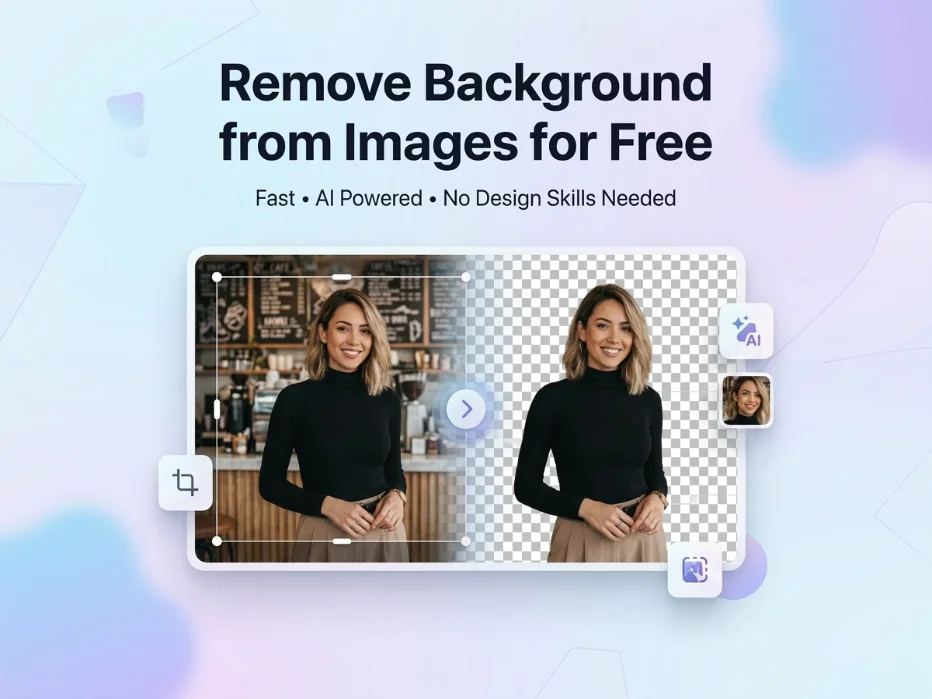
Remove Background from Images for Free in Seconds

You can remove background from images for free using a browser-based tool like tooldit.com. Just upload your photo, wait a second or two, and download a clean PNG with a transparent background.
No software, no signup, no fees. It works on phones, laptops, and tablets — perfect for product photos, profile pics, and social media.
Stuck With a Messy Photo Background?
Ever snapped a great photo, only to realise the background is a total mess? Maybe there's a weird shadow. Or random clutter. Or your dog wandered into the shot. Trust me, you're not alone.
Most folks think you need Photoshop or some pricey app to fix this. You don't. These days, you can remove background from images for free right in your browser — no design skills, no downloads, nothing fancy. And the good news? Sites like tooldit.com make it dead simple. Upload the photo, click once, and done. It's free, and you won't even need to sign up. Here's exactly how it works.
Why a Clean Background Matters More Than You Think
A cluttered background pulls eyes away from what matters. Whether you're selling products on Etsy, posting on Instagram, or building a portfolio, a clean cutout looks ten times more pro.
Here's what a transparent background can do for you:
Make product photos pop on white-background marketplaces like Amazon
Give your LinkedIn or resume photo a polished, business-ready look
Assist you in creating clear images, thumbnails, and social media content
Let you place your subject on any background you want
Save you hours of clunky editing in heavy software
Honestly, removing the background used to be a nightmare. Lasso tool. Magic wand. Hours of zooming in. Not anymore. AI does the heavy lifting now, and it's wildly accurate.
How Free Online Background Removers Actually Work
In the background, intelligent AI analyses your picture to determine the subject and background. It traces the edges, even tricky ones like hair, fur, or wispy edges. Then it erases everything else.
What you get back is a PNG file with a see-through background. You can drop your subject onto any colour, image, or design you want. Pretty neat, right?
Step-by-Step: Remove Background from Images for Free
Ready to try it? This is the simplest method to obtain a clear cut in less than a minute.
Step 1: Pick Your Photo
Grab the image you want to clean up. JPGs and PNGs both work. Use a picture where the subject can easily be identified from the background for the best results.
Step 2: Open a Free Background Remover
Head to a free browser-based tool. To save yourself the headache, try the free background remover tool on tooldit.com — it's fast, gives you instant results, and you don't need to sign up or install anything. You only need to open the website.
Step 3: Upload the Image
Drag and drop the photo, or click the upload button. The file takes only a few seconds to upload, even on a mobile device.
Step 4: Allow AI to Do Its Job
This is the fun part. The AI scans your image, finds the subject, and erases the background. The average time is 2 to 5 seconds. No clicking. No tracing. No headaches.
Step 5: Preview the Result
Check the cutout. Is the edge clean? Did it catch the hair, fur, or fine details? Most of the time, yes. If something looks off, you can re-upload a clearer photo.
Step 6: Download Your Transparent PNG
Click download. Your newly created image is saved as a transparent PNG. That's it. You're free to drop it into any design, slide, or post you want.
Free Background Removers vs. Paid Software
Wondering if you really need to pay? Here's a quick side-by-side:
Feature | Free Online Tool | Paid Software |
Cost | $0 — always free | $10–$50 per month |
Signup Required | No | Yes, usually |
Download Needed | No, browser-based | Yes, often heavy install |
Speed | 2–5 seconds | 30 seconds to minutes |
Skill Level | Beginner-friendly | Steep learning curve |
Mobile-Friendly | Yes | Rarely |
Privacy | Files not stored | Varies by vendor |
For most everyday needs – social posts, product shots, profile pics – a free tool wins hands down. Save the paid software for heavy-duty design work.
Common Mistakes to Avoid
A few quick fixes to get cleaner cutouts every time:
Blurry photos. If your image is fuzzy, the AI struggles to find edges. Use a sharp, well-lit photo.
Same-colour. backgrounds. A white shirt over a white wall? Tricky. Pick photos with clear contrast.
Tiny subjects. If your subject takes up just 10% of the photo, crop it first.
Heavy shadows. Strong shadows can confuse the tool. Soft, even lighting works best.
Low-resolution files. Tiny images give tiny results. Kindly upload the best possible version.
5 Pro Tips for Better Background Removal
If at all possible, take pictures with a simple wall behind you. The cutout will be cleaner if the original is cleaner.
Use natural daylight. It gives your AI tool the contrast it needs to nail the edges.
Always download the PNG, not the JPG. Only PNGs keep the transparent background intact.
If you plan to print, upload a high-res file. Web photos sometimes lose detail when printed big.
To determine the true effectiveness of a tool, start with a challenging image, such as a person with curly hair.
Who Uses This Every Day?
This isn't just for designers. Here's who actually leans on free background removers:
Etsy and Amazon sellers who need crisp white-background product shots
Real estate agents cleaning up listing photos
YouTubers and TikTok creators building thumbnails fast
Students making slick presentations and reports
Small company owners managing their own social media accounts
Bloggers creating clean featured images
I tested this on dozens of images, including portraits, products, and pets. Even on hard edges like hair and fur, the results are very remarkable.
Why Tooldit.com Stands Out
There are tonnes of free background removers out there. So why do so many folks keep coming back to tooldit.com? A few real reasons:
100% free, forever. No hidden fees. No premium upgrades buried in the menu.
No signup needed. Just open the site and start cleaning up your photos.
Works on any device. The tablet, laptop, and phone all function properly.
Privacy-safe. Your photos aren't stored or shared. They stay yours.
Unlimited use. Edit one photo or one hundred. No daily limits.
FAQs: Remove Background from Images for Free
Is it really free to remove background from images?
Yes, totally free. Browser-based tools like tooldit.com let you remove backgrounds without paying a cent. There's no trial period, no credit card needed, and no premium tier hiding the best features. Just upload, click, and download.
Will my photos be saved or shared anywhere?
No. Reputable free background removers don't store your photos. The file is deleted from the server after you download your cutting. This keeps your personal photos, product shots, and work files private.
Can I remove backgrounds on my phone?
Absolutely. Any modern free tool works in your phone's browser – Safari on iPhone or Chrome on Android. Just visit the site, upload from your camera roll, and download the cleaned image right back to your phone. Easy as that.
How accurate is AI background removal?
Way more accurate than you'd think. Today's AI handles hair, fur, glass, and even semi-transparent edges with high precision. You'll receive an almost perfect cutout in a couple of seconds for a clear photo with ideal lighting. A higher original may be necessary for difficult photos.
What file format will I get after removing the background?
You'll get a PNG file. Because PNG allows for see-through pixels, it is the industry standard for transparent backdrops. JPGs can't do this — they fill the empty space with white. So always grab the PNG version.
Can I use the cleaned image for business or commercial work?
Yes, as long as you own the original photo or have rights to use it. Free tools don't add watermarks or claim ownership, so the result is yours to use on product listings, social ads, websites, or anywhere else.
Final Thoughts
Cleaning up photo backgrounds used to take real time and skill. Now it takes about five seconds. Whether you're a small business owner, a student, or just someone who wants a sharper profile pic, you've got a free option that actually works.
Save this guide, or just head over to tooldit.com and try it now — it's free and fast, and you won't need to sign up for anything. Give it a shot. You'll wonder why you ever chose an alternative method.
Read also: HEIC to JPG: Convert iPhone Photos in Seconds (Free)